JessV
Member
- Joined
- Apr 19, 2026
- Messages
- 5
- Reaction score
- 0
 JV Personal Style
Modern Hair, Makeup & Personal Style System
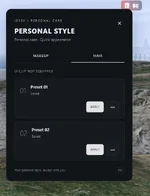
JV Personal Style is an advanced FiveM appearance preset system that allows players to save their hairstyles and makeup, create personal looks and quickly switch between them during roleplay.Instead of being just another character editor, JV Personal Style gives every character their own personal style collection.
Players can create their appearance at a barber or through the server's existing appearance system, save it and reuse it later through Personal Style.
 Features
 Hair Clip System
Use saved hairstyles through an immersive hair clip system. Removing the clip automatically restores the player's original hairstyle.
 Hair Presets
Save multiple hairstyles, give them custom names and easily apply, rename or delete them.
 Makeup Presets
Save makeup, lipstick and blush configurations and create different styles for different roleplay situations.
 Combined Looks
Combine a saved hairstyle and makeup preset into one complete appearance.
Create looks such as:
- Duty
- Daily
- Night
- Event
 Mirror Preview
Preview a saved appearance before applying it using a dedicated close-up camera.
The preview system supports:
- Zoom controls
- Character rotation
- Adjustable lighting
- Dedicated hair and face camera positions
 Optional Live Editor
Allow players to edit their hairstyle and makeup directly through Personal Style.
For realistic RP servers, the editor can be disabled so players must first visit a barber and then save their finished appearance.
 Animation Support
Configurable animations for hair, makeup and menu interactions.
 Advanced Restrictions
Restrict Personal Style by:
- Job
- Duty status
- Gender
- Required item
 Built for Roleplay
JV Personal Style does not need to replace your existing character appearance resource.Instead, it works alongside it by allowing players to save their favorite appearances as reusable presets.
For example, a police character can create:
 Duty Hair Duty Makeup
 Night Look
 Event Look
and switch between them throughout their roleplay.
 Highly Configurable
Configure:- Hair slots
- Makeup slots
- Combined slots
- Apply durations
- Camera settings
- Preview zoom
- Preview lighting
- Animations
- UI accent color
- Item requirement
- Job restrictions
- Duty restrictions
- Gender restrictions
- Live editor permissions
- Preset capture permissions
 Compatibility
 QBox / qbx_core QB-Core ESX Legacy Bridge
Inventory
ox_inventory qb-inventoryAppearance
Illenium Appearance Native Appearance Adapter Custom Bridge SupportRecommended Setup:
QBox + ox_inventory + Illenium Appearance
 Dependencies
Dependencies may vary depending on the selected framework and integrations.Recommended setup:
- ox_lib
- qbx_core / qb-core
- ox_inventory / qb-inventory
- Illenium Appearance
 Installation
- Add the resource to your server.
- Import the included SQL file.
- Select your framework and inventory integration in the configuration.
- Add the personal_style_kit item to your inventory system.
- Add the resource to your server.cfg.
- Configure slots, camera settings, jobs and restrictions for your server.
 Localization
 English
 Turkish
Additional languages can easily be added through the locale system.
 JV Personal Style
✔ Hair Presets✔ Makeup Presets
✔ Combined Looks
✔ Hair Clip Mechanics
✔ Mirror Preview
✔ Optional Live Editor
✔ Character-Based Preset Storage
✔ Job / Duty / Gender Restrictions
✔ Modern NUI
✔ Highly Configurable
Give every character their own personal style collection.